A bio that works answers four questions in order: who you are, what you post, one human detail, and what the visitor should do next. Instagram gives the bio up to 150 characters, so each answer gets one short line. Everything else on this page is about filling those four lines without sounding like everyone else.
The Four-Line Formula
- Who you are. A role or a description, in plain words: "Watercolor painter", "Mom of three in Ohio", "Handmade candle shop".
- What you post. The reason to follow: "Weekly loose-floral tutorials", "Small-space garden ideas", "New scents every month".
- A human detail. One specific, true thing: where you are, what you are bad at, what you are working on. This is the line people remember.
- A call to action. One instruction that points at the link or at a highlight: "New here? Start with the Tips highlight", "Order below".
Each line should make sense alone. Someone who reads only the first one should still know what the account is.
The order matters because of how people read a profile. The first line decides whether they read the second. If the first line is a quote or a string of emojis, the useful part never gets read.
Put a Keyword in the Name Field
Your profile has two names. The username is the handle with no spaces. The name field is the bold line above the bio, and it is separate from the bio's 150 characters.
Instagram search reads both. In its own explanation of how search works, Instagram says it matches what people type against usernames, bios, captions, hashtags and places, and that a handle or profile name related to what you post is your best bet for showing up in relevant searches. If the name field holds only your first name, that is all it gives search to work with. Adding what you do gives it something more to match:
- "Maya Ortiz | Watercolor Tutorials"
- "Fern & Wick Candles"
- "Dana | Small Garden Ideas"
Keep it readable; this is a name with a descriptor, not a list of keywords. The same explanation suggests putting keywords about who you are in the bio as well, which the first two lines of the formula already do. None of this guarantees a place in anyone's results; it only makes sure the right words are there to be matched.
Choose carefully, because Instagram limits how often the name can be changed: twice within 14 days. Keep it short too. The Help Center does not publish a length limit for the name field, and third-party guides disagree on the figure, so let the edit screen be the judge. A name plus two or three words fits comfortably.

Line Breaks and Spacing
A bio written as one paragraph is hard to scan. The same words on four lines are easy.
Type the bio in the app (your profile, "Edit profile", then "Bio") and use the return key between lines. If your keyboard does not offer a return key in that field, write the bio in a notes app with the breaks in place, copy it, and paste it in.
A few formatting habits help:
- One idea per line. If a line wraps on your phone, shorten it.
- Emojis as bullets, if at all. One at the start of a line works as a marker. Several in a row push the words off the line and are skipped by the eye.
- No hashtag stacks. A row of hashtags uses characters and says nothing a sentence could not say better.
- Count the characters. Line breaks and emojis use up the 150 too, and an emoji can count as more than one character, so a draft that fits in your notes can still come up short of room.
The Link and the Call to Action
The link area sits right under the bio, and Instagram lets you add up to five links there (in "Edit profile", under "Links"). More is not better here. A single link leaves the visitor nothing to choose between.
Make the last line of the bio and the link agree. If the line says "Free color guide below", the first link should go to the color guide, not a home page where the visitor has to look for it. If you do keep several, the same "Links" screen has a "Reorder links" option, so the one your bio mentions can sit first. When the offer changes, change both.
The call to action does not have to be a link at all. "Tap Reviews to see customer photos" sends people to a highlight, which keeps them on your profile. That only works if the highlight exists and is easy to spot, so build the row first: what to put in your highlights has category lists for each kind of account.
Examples for Three Kinds of Account
These are invented accounts, written to show the pattern. Replace every detail with your own.
| Line | Personal | Creator | Shop |
|---|---|---|---|
| Name field | Jess Nguyen | Maya Ortiz, Watercolor Tutorials | Fern & Wick Candles |
| Who you are | Nurse, runner, slow reader | Watercolor painter and teacher | Soy candles, poured in small batches |
| What you post | Trails, dogs and half-finished books | A new loose-floral tutorial every Friday | New scents on the first of each month |
| Human detail | Still can't keep a basil plant alive | Left-handed, so yes, my videos are mirrored | Two people, one kitchen, a lot of wax |
| Call to action | Race photos in the Runs highlight | Free brush guide below | Order by Thursday for weekend shipping |
Notice what each one leaves out: no quotes, no list of adjectives, no "living my best life". Every line gives a fact.

The Limits at a Glance
| Field | Limit | Where the figure comes from |
|---|---|---|
| Bio | 150 characters | Instagram Help Center |
| Links | Up to 5 | Instagram Help Center |
| Name changes | Twice within 14 days | The app's own notice; the Help Center states the same rule for verified profiles |
| Name length | Not published | Guides disagree, so trust the edit screen |
The bio and the links are public. The Help Center notes that anyone can see your bio, and that your links are visible to anyone on or off Instagram, so leave out anything you would not put on a shop window.
What Makes a Bio Feel Cringe
People search for "non cringe bios" for a reason. The same few habits cause most of the wincing, and each has a simple fix.
- A string of labels. "Dreamer. Wanderer. Coffee addict." These could describe anyone. Replace three vague words with one specific fact.
- A borrowed quote. It tells the visitor about the person you quoted. Use the space for your own words.
- Titles you have to defend. "Guru", "expert", "visionary". Say what you do and let people decide.
- Trying too hard to be funny. One dry line is charming. Four jokes and no information is a puzzle.
- Stale details. An age you no longer are, a city you left, a sale that ended. Read your bio on the first of each month.
- Instructions to nobody. "DM for collabs" on a new account with six posts. Add it when it is true.
The cure in every case is the same: be specific, be current, and write the way you would introduce yourself to one person.
The Things Around the Bio
A visitor sees the bio together with three other elements, and they all have to agree.
- Profile picture. A face for a person, a simple mark for a shop. See profile pictures that read at thumbnail size.
- Category label. Professional accounts can show a business category under the name, and can hide it again under "Profile display" in the edit-profile screen. If it is shown, you do not need to repeat it in line one.
- Highlights row. On most profiles it sits directly under the bio and link, so it is the next thing the eye lands on.
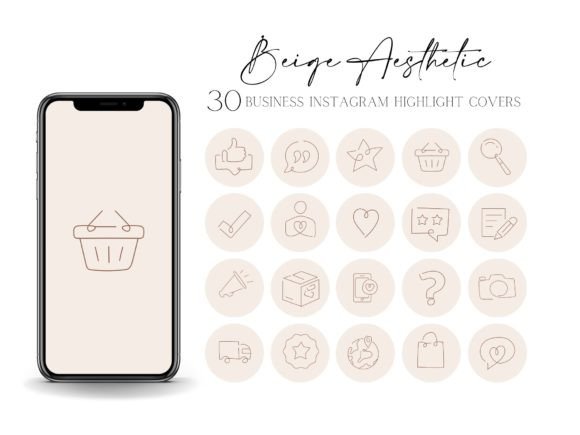
A bio in a calm, plain voice above a row of covers in five clashing colors sends two different messages. Covers in one quiet style let the words do the talking. These three are named for neutral, cream and rose gold styles, which sit well under almost any bio.
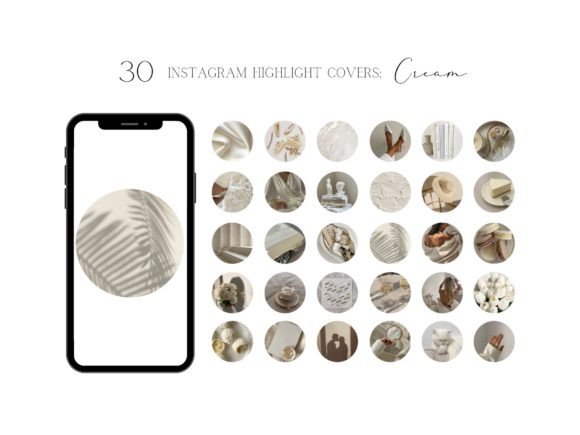
Cream Aesthetic IG Highlight Covers
See the listing ↗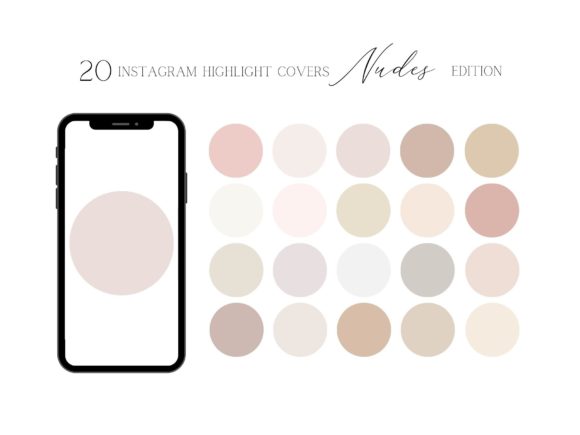
Nude Highlight Covers for Instagram
See the listing ↗
Instagram Highlight Covers Rose Gold
See the listing ↗From the collection Instagram Highlight Covers. New Creative Fabrica members get 10 free downloads, and any of these can be one of them.
If you have not settled on colors yet, do that before choosing covers; the guide to choosing an Instagram color palette walks through it. More styles are in the aesthetic highlight covers collection.
Rewrite Yours in Ten Minutes
- Open a notes app and write one sentence for each of the four lines. Do not edit yet.
- Cut every line to the fewest words that still make sense. Remove adjectives first.
- Check the total against the 150-character limit. If you are over, shorten the "what you post" line, not the human detail.
- Add a descriptor to the name field.
- Paste the bio in, then look at your profile on your phone. Each line should fit without wrapping.
- Tap your own link and make sure it goes where the last line says it does.
Read the finished bio out loud. If you would not say a line to someone you had just met, rewrite it until you would.
Then leave it for a few weeks. A bio does not need constant changes; it needs to stay true. Update it when what you post changes, when the offer in the last line changes, or when the human detail stops being the case.
Cover Sets Related to This Guide
 Aesthetic Highlight Covers13 hand-picked · open the collection →
 Instagram Highlight Covers13 hand-picked · open the collection →